

Why Dynamics CRM User Adoption Determines CRM Value
Microsoft Dynamics 365 user adoption is the extent to which people use the CRM correctly in their daily work. It determines CRM value because trusted reporting, reliable follow-up, and consistent customer records depend on routine use.
For employees, adoption is not simply logging in. It means using the right process at the right time, such as updating an opportunity after a meeting or recording the next agreed action.
Custom CRM design supports adoption when each role can complete common tasks with fewer decisions and less duplicate entry. The goal is to make the system more useful than the spreadsheet, inbox, or personal notes it replaces.
Key takeaways:
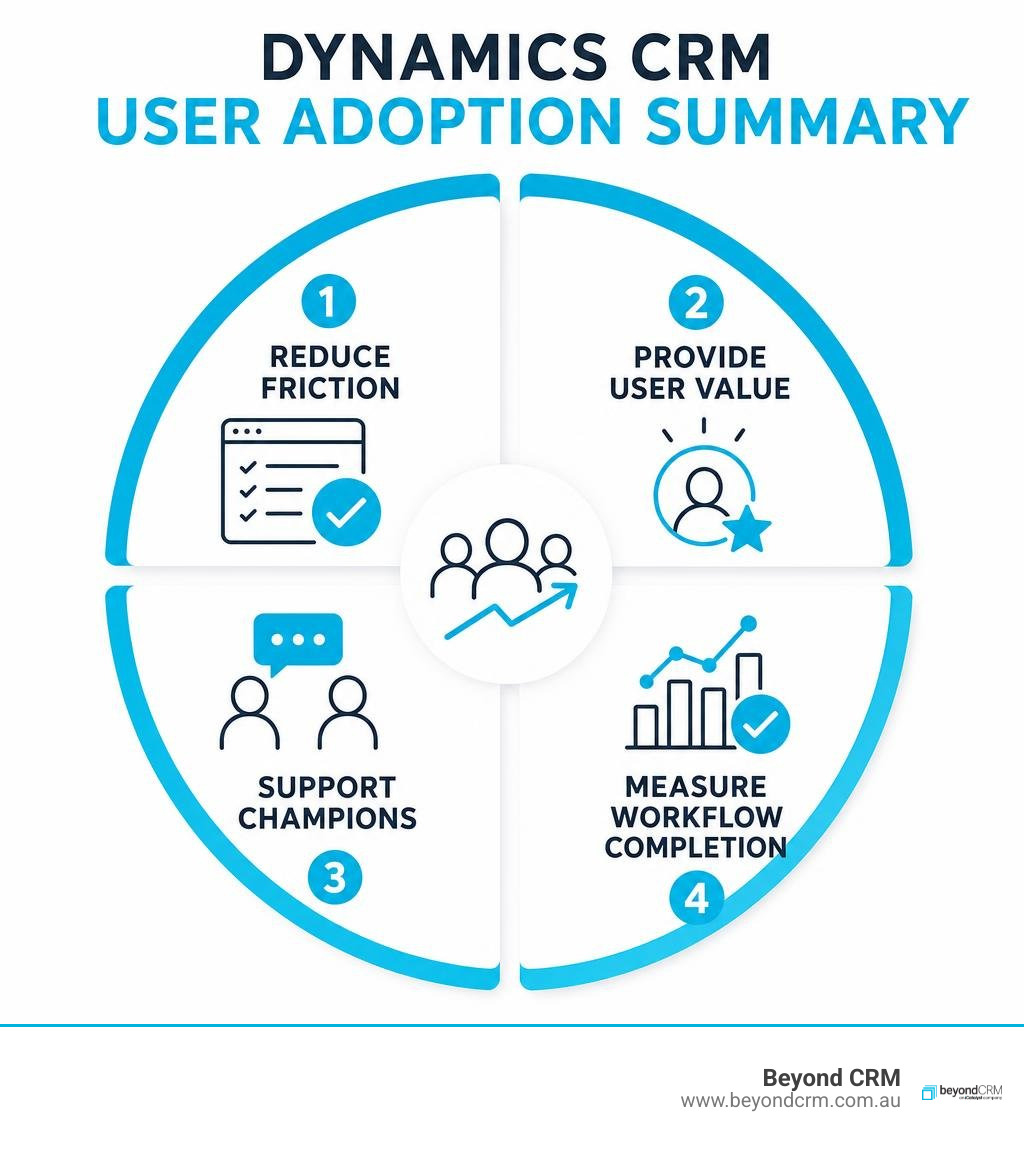
- Remove unnecessary fields and steps from high-frequency tasks before asking people to change behaviour.
- Design role-based workspaces that show sales, service, and operations teams only what they need.
- Explain the personal value of accurate records, including clearer priorities and fewer status-chasing emails.
- Use peer champions to surface friction early and reinforce practical habits.
- Measure workflow completion and data quality, not logins alone.
Microsoft Dynamics 365 can support role-based apps, business rules, automation, dashboards, auditing, and reporting. Available capabilities depend on licensing, configuration, integrations, security, and the wider technology environment.
This guide explains why users resist CRM change, how to redesign difficult workflows, and how leaders can measure meaningful progress without relying on compliance alone.
I’m Warren Davies, Founder of BeyondCRM. With more than 30 years of experience designing, customising, training, and supporting Microsoft Dynamics CRM, I have seen adoption improve when teams fix the work around the system rather than simply demanding more use.
Why Employees Resist Dynamics CRM and What to Fix First
Employees usually resist Dynamics CRM when entering or finding information feels slower than using familiar workarounds. The first step is to identify the task, screen, or hand-off that creates the most effort.
The Friction-Value Framework
A practical adoption test is to compare friction with user value. Friction includes every unnecessary click, required field, slow page, duplicate update, and unclear instruction. User value is the immediate benefit an employee receives from keeping the record current.
Leadership may value pipeline reporting and forecasts. A sales representative is more likely to value a clear call list, an accurate next action, or fewer manual follow-up emails.
When the employee sees no direct benefit, data entry can feel like administration for somebody else. That is why redesigning a workflow often has more impact than another broad training session.
For example, a business development team may update opportunity stages inconsistently. Before adding reminders, review whether the stage definitions are clear and whether the next-step field appears at the correct point in the process.
Common Adoption Mistakes
Several approaches create activity without building dependable habits:
- Treating one classroom session as the whole change programme.
- Making every department use the same crowded form.
- Adding mandatory fields without explaining how the information is used.
- Measuring login counts instead of process completion.
- Restricting spreadsheets before the CRM provides an easier alternative.
A mandatory field can be useful when it supports a genuine decision. It becomes counterproductive when users enter placeholder text just to move forward.
Why user adoption is the real measure of CRM success is a useful starting point for teams that need to distinguish activity from business value.
Fix Usability Before Enforcing Compliance
Enforcement may be appropriate after the process is practical, understood, and supported. It should not be the first response to low usage.
Start with a workflow review. Observe how people prepare for calls, manage follow-ups, and share information with colleagues. Then remove the steps that do not support those outcomes.
BeyondCRM often works alongside existing IT providers and business systems. Dynamics 365 does not need to replace every tool to become the trusted place for customer-facing work.
How to Improve Dynamics CRM User Adoption in Daily Work
The most effective adoption strategy combines simpler workflows, role-specific guidance, and feedback that leads to visible improvements. Users are more likely to participate when the CRM reduces day-to-day effort.
Design Role-Based Workspaces

A sales manager, account executive, and service coordinator do not need the same navigation or form layout. A role-based design keeps common work visible and moves secondary information out of the way.
Focus on the work users repeat most often:
- Create focused model-driven apps for distinct job roles where the implementation supports them.
- Keep the most important fields near the top of each form.
- Use conditional visibility so relevant information appears only when it is needed.
- Review click counts for common actions, such as qualifying a lead or recording a client meeting.
- Use views and dashboards that help each role decide what to do next.
A workflow should be tested with real users before it is enforced. User acceptance testing can reveal unclear labels, missing information, and duplicate steps that are not obvious in a design workshop.
For further guidance on the relationship between configuration, training, and process design, see Dynamics 365 adoption best practices.
Build a Peer Champion Network
Peer champions make adoption support more practical because they understand the team’s real work. They are not a substitute for CRM ownership, documentation, or formal training.
Choose people who are trusted by colleagues and comfortable giving constructive feedback. Involve them early in testing so they can explain both the reason for a change and the correct way to use it.
A simple champion rhythm can include:
- A short fortnightly session to report recurring questions and workflow barriers.
- Early testing of planned form, process, and reporting changes.
- Small role-based learning sessions based on live scenarios.
- Clear escalation paths for issues that require configuration or integration changes.
Use Incentives Carefully
Recognition can reinforce good habits when it rewards completeness and follow-through. It can undermine data quality when it rewards volume alone.
Instead of rewarding the most records created, recognise teams that keep agreed next steps current, qualify leads consistently, or resolve duplicate records. Human review still matters because automation and scorecards cannot determine whether every customer interaction was meaningful.
Follow a Practical 90-Day Adoption Plan
A structured improvement cycle gives teams time to diagnose, change, and reinforce new behaviours:
- Days 1 to 21: Map friction. Shadow key roles, identify workarounds, review process definitions, and select champions.
- Days 22 to 60: Reconfigure the experience. Simplify forms, adjust navigation, improve views, and test changes with real scenarios.
- Days 61 to 90: Reinforce and measure. Deliver focused training, publish working guidance, and review workflow completion each week.
This approach creates a feedback loop between users, process owners, administrators, and technology partners. It also gives leaders evidence for which changes are helping.
How to Measure and Troubleshoot Dynamics CRM User Adoption
Measure Dynamics CRM user adoption through the completion and quality of critical workflows, then investigate the barriers behind weak results. Login totals can provide context, but they do not show whether the CRM supports real work.

Track Workflow Completion, Not Just Activity
A useful adoption metric connects CRM behaviour to an agreed operating standard. The standard should be simple enough to explain and specific enough to review.
Examples include:
- Opportunity hygiene: open opportunities have an updated stage, owner, value, and future next action.
- Account activity: priority accounts have a recent, relevant interaction recorded.
- Lead handling: new leads are contacted and qualified, disqualified, or assigned within an agreed time frame.
- Data quality: duplicate records, incomplete key fields, and obsolete contact details are reviewed on a regular schedule.
The right target depends on the business model and maturity of the process. An 80 per cent completion target can be a helpful internal benchmark, but it should not be treated as a universal standard.
Use Cloud and On-Premises Evidence Appropriately
Dynamics 365 cloud environments may provide activity, audit, and reporting options through Microsoft tools and configured Power Platform features. The detail available depends on the tenant, modules, permissions, retention settings, and licensing.
On-premises environments need a different approach. Built-in auditing, application logs, and carefully governed technical reporting can help reveal patterns, but usage reporting should respect privacy, security, and governance requirements.
Avoid interpreting technical traffic as proof of adoption. Record updates, workflow quality, and feedback from users provide a more complete picture.
Find the Root Cause of Low Usage
When adoption stalls, investigate the workaround rather than assuming people need more reminders.
- Offline spreadsheets: ask what calculation, list, or view the spreadsheet provides. Recreate the needed information in Dynamics 365 where appropriate.
- Slow or repetitive entry: review whether integrations, default values, or carefully configured Power Automate flows can reduce duplicate administration.
- Missing personal value: provide role-specific views that help users prioritise calls, follow-ups, approvals, or service work.
- Unclear ownership: document who maintains process definitions, training material, data standards, and change requests.
BeyondCRM can connect Dynamics 365 with systems already used across a client’s technology environment. The practical question is not whether every system should change, but where each system adds the most value.
Dynamics CRM User Adoption Frequently Asked Questions
These answers address common implementation, measurement, training, and leadership questions about Dynamics CRM user adoption.
What is Dynamics CRM user adoption?
Dynamics CRM user adoption is the consistent and correct use of CRM processes by the people who rely on customer, sales, service, or operational information. It includes data quality and workflow completion, not simply whether users have accounts or log in.
What is the most effective way to measure Dynamics CRM adoption?
Measure completion of business-critical workflows. For example, review whether open opportunities have current stages and next actions, whether key accounts have recent contact activity, and whether leads receive timely follow-up.
Why do users stop using a CRM after training?
Training does not solve a process that is too slow, confusing, or disconnected from daily work. Users often return to spreadsheets or inboxes when the CRM does not provide an immediate benefit or requires duplicate entry.
How long does it take to improve CRM adoption?
Teams can often identify and remove obvious friction within the first 60 to 90 days. Lasting adoption takes longer because it requires consistent process ownership, reinforcement, and adjustments based on user feedback.
Should leaders make Dynamics CRM use mandatory?
Mandatory use is most effective after the CRM workflow is practical and users understand the reason for each required step. Starting with strict enforcement can create incomplete records and superficial compliance.
Do we need to replace other business systems to improve adoption?
Not necessarily. A well-designed Dynamics 365 environment can work alongside other systems when integrations, ownership, and data hand-offs are planned carefully. The priority is to reduce duplicate work and make the system landscape easier to use.
Dynamics CRM User Adoption: A Practical Next Step
Sustainable Dynamics CRM user adoption comes from making the correct process easier than the workaround. Start by identifying friction in high-frequency tasks, redesigning the user experience around roles, and measuring the quality of completed work.
The most useful adoption programmes combine clear process ownership, practical training, peer feedback, and regular refinement. That approach helps organisations improve reporting confidence without asking teams to carry unnecessary administration.
BeyondCRM supports large enterprises, government organisations, and complex business environments with CRM design, customisation, optimisation, training, and ongoing support. The focus is on fitting Dynamics 365 into the wider technology environment and the way people actually work.


