

How a member onboarding CRM turns sign-ups into active members
Microsoft Dynamics 365 provides the foundation for member onboarding CRM workflows that guide people from initial registration to active participation.
It coordinates member records, welcome communications, and early engagement milestones within one structured process. This visibility allows staff to identify members who require assistance and gives each registrant a clear next step.
The initial 90 days should deliver immediate practical value rather than explaining every benefit at once.
Organisations start with resource access, followed by orientation invitations and structured engagement check-ins.
I’m Warren Davies, Founder of BeyondCRM. I have over 30 years of CRM consulting experience, designing Microsoft Dynamics 365 systems that connect member onboarding workflows with existing business tools.
Key Takeaways
- Track activation milestones and early participation to protect first-year retention.
- Use automated, triggered communications to deliver timely resources without overwhelming new sign-ups.
- Connect onboarding processes with existing association management and operational tools.
- Maintain data accuracy, unified identity records, and clear consent management.
- Structure the first 90 days around practical member value and structured checkpoints.
Essential Features of a Member Onboarding CRM
A member onboarding CRM provides automated profile prompts, credential distribution, milestone tracking, and self-service account management. These capabilities guide new members through early adoption steps while reducing manual administrative intervention.
Rather than treating sign-up as the finish line, modern onboarding features create a structured path that helps members discover resources and access professional benefits.
By using a guide to member self-service portal features, organisations allow users to manage their details, view transaction histories, and update preferences independently.
Guided Registration and Member Self-Service Portals
The initial registration flow sets expectations for the entire member journey. A well-designed onboarding system provides step-by-step forms that validate data, reducing incomplete records and administrative clean-up.
Key capabilities within the registration and portal environment include:
- Dynamic form fields that adapt based on membership tier or professional category.
- Role-based permissions for member-only resources and initial credential provisioning.
- Self-service dashboards where members download digital membership cards, receipts, and certificates.
- Direct preference centres for communications, special interest committees, and working groups.
When administrative friction is removed from registration, members engage with core content immediately rather than waiting for manual approvals.
Multi-Channel Communication in a Member Onboarding CRM

Relying on a single welcome email often leads to low engagement. Modern onboarding architectures coordinate communication across multiple channels, including email, SMS, and member portal notifications.
By reviewing the ultimate guide to membership CRM automation software, your organisation can trigger messages based on actual member behaviour.
For example, a configured onboarding workflow can send a welcome email after registration, grant portal access once the application is approved, record orientation attendance, and prompt staff to follow up when a new member has not logged in or completed a key step. Connected systems can share these updates between the registration form, CRM, email platform, and member portal, reducing manual data entry.
Configured onboarding workflows can also connect membership fees, payment status, and future renewal activity. For example, a completed application may create a finance task, send a receipt, and schedule reminders before a renewal date. The exact workflow depends on the organisation’s membership rules, payment provider, Dynamics 365 licensing, integrations, and security design, but a clear process helps staff resolve exceptions before they affect the member experience.
Designing the 90-Day Activation Journey
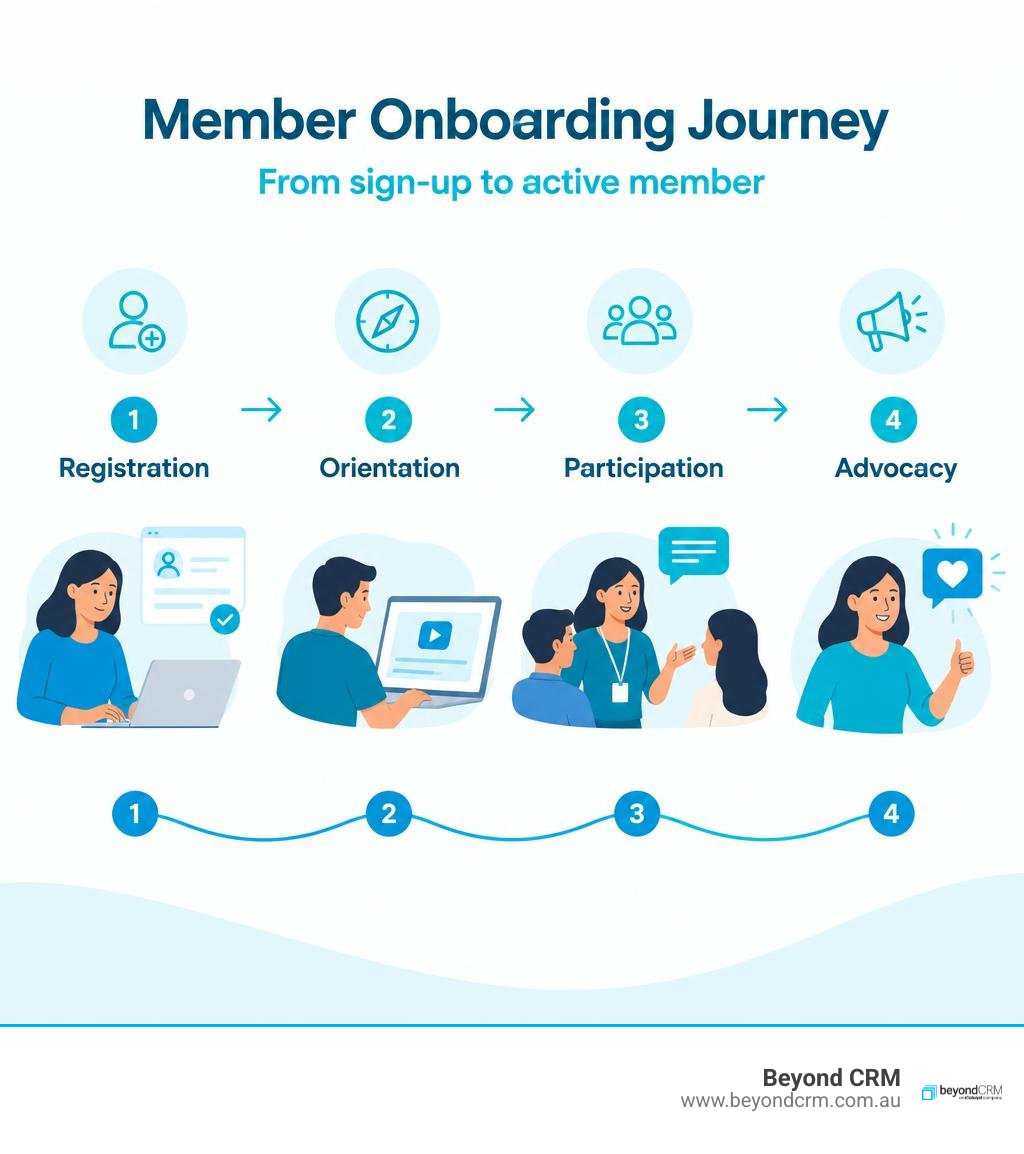
A 90-day activation journey divides onboarding into structured orientation, active participation, and community connection phases. This timeline prevents information overload and ensures new registrants discover practical membership value early.
Early touchpoints focus on immediate utility, such as accessing research libraries or logging into the community forum. Subsequent phases introduce peer networking, virtual orientations, and collaborative committee opportunities.
Structuring the First 90 Days with a Member Onboarding CRM
The following 90-day schedule is a suggested framework that organisations can adapt to their membership model, approval process, and available services:
| Onboarding Phase | Key Milestones & Actions | Primary Channels | Target Outcome |
|---|---|---|---|
| Days 1-30: Orientation & Value | Day-one welcome packet, credential delivery, profile setup, and resource directory signposting. | Automated email, SMS alert, portal welcome banner. | Member logs in, completes profile, and accesses core digital benefits. |
| Days 31-60: Participation & Check-in | Invitation to quarterly orientation webinar, two-week check-in message, and special interest group recommendations. | Personalised email, coordinator phone check-in, community invite. | Member attends first online event or engages in an online community forum. |
| Days 61-90: Community & Advocacy | Committee introductions, mentor pairing suggestions, and structured satisfaction survey. | In-app notification, peer introduction email, survey link. | Member establishes peer connections and demonstrates sustained platform activity. |
Data Unification, Tracking, and Compliance

An effective onboarding workflow relies on a unified view of each member. In complex organisations, member data often originates across disparate touchpoints, such as event ticketing systems, learning management platforms, and physical attendance records.
For new-member onboarding, a shared member record helps staff confirm registration details, membership status, portal access, and outstanding welcome tasks without relying on separate spreadsheets or disconnected systems.
Tracking early onboarding milestones, such as profile completion, resource access, event registration, or an unanswered welcome task, helps staff identify where a new member may need support.
Member data collected during onboarding must be handled in line with the Australian Privacy Principles under the Privacy Act 1988 (Cth). Organisations should manage consent records, provide clear opt-out options, and protect personal information with appropriate role-based permissions.
Integration Architecture and Technical Alignment
Integration architecture connects core CRM platforms with web portals, payment processors, and learning management systems. This connected environment ensures consistent member records across disparate administrative applications.
At BeyondCRM, we connect Microsoft Dynamics 365 with other systems within your existing technology environment. We work hand-in-hand with your other IT solution providers rather than assuming Dynamics 365 must replace existing operational tools.
As a Microsoft Dynamics CRM consulting partner for large enterprises, government organisations, and complex business environments, we design technical architectures that preserve existing database investments while establishing structured onboarding automation.
Connecting CRM with Existing Association Management Systems
Integrating your CRM with specialised Association Management Systems, financial ledgers, and event platforms ensures data moves cleanly across the organisation.
Key technical considerations include:
- Bi-directional data synchronisation: Ensuring payment status, contact updates, and membership renewals reflect across databases according to scheduled sync routines.
- Event management connectivity: Logging webinar or conference attendance within the member timeline to trigger relevant post-event workflows.
- Finance reconciliation: Integrating payment gateways to match dues collections with general ledger entries without manual spreadsheet exports.
- Data hygiene rules: Establishing deduplication and validation standards to prevent corrupted member records.
Enterprise Customisation in Microsoft Dynamics 365
Microsoft Dynamics 365 offers an extensible foundation for member lifecycle management. Its architecture allows organisations to model complex member relationships, such as multi-tiered corporate memberships, regional chapter hierarchies, and continuing professional development tracking.
Specific Microsoft Dynamics 365 functionality, automated workflows, and interface layouts depend on licensing, tenant configuration, Microsoft service availability, implementation design, integrations, and security settings.
Tailored security roles ensure chapter coordinators see only local member cohorts, while national executives retain organisation-wide visibility.
Before implementation, organisations should map their existing member journey, identify the data that must be shared between systems, and agree on ownership for approvals, communications, and data quality. This preparation helps avoid carrying duplicate records or unclear manual steps into the new workflow. BeyondCRM can work alongside existing IT providers to align the CRM design with established systems and practical operational responsibilities.
Membership CRM case studies in practice
BeyondCRM’s membership CRM work shows how Microsoft Dynamics 365 can support the broader member lifecycle when the website, portal, communications and internal processes are designed to work together. For the Police Association of NSW, BeyondCRM integrated the website, CRM, marketing platform and member portal so members could access member-only resources and benefits, manage profiles, register for events and receive communications shaped by their interests and activity.
For AgForce Queensland, BeyondCRM developed a member-centric integrated platform that made industry information, member interactions and government submissions easier for executive management to access. The connected approach reduced the need for manual information collation, supported faster annual-renewal processing and enabled more timely, tailored renewal communications through the member portal. These examples illustrate how a membership CRM can improve self-service and operational visibility when the workflow, data and integrations are configured around the organisation’s needs.
Frequently Asked Questions About Member Onboarding CRM
What is the difference between a membership CRM and membership management software?
Membership management software often focuses on core administrative tasks such as maintaining member records, processing applications, and handling renewals. A membership CRM can combine those functions with configurable onboarding workflows, communications, engagement tracking, and integrations that help staff guide new members from registration to active participation. The exact capabilities depend on the organisation’s chosen platform, licensing, configuration, integrations, and implementation design.
How does automated onboarding improve first-year member retention?
Automated workflows deliver timely resources, prompt profile completion, and alert staff when a member becomes inactive. By shortening the time it takes for a new member to experience practical value, structured onboarding workflows help protect first-year renewal rates.
Can member onboarding workflows integrate with existing association databases?
Yes. Modern CRM platforms use REST APIs, secure middleware, and custom connectors to synchronise member records with legacy association management systems, website directories, and finance applications without requiring a complete database overhaul.
What should an association consider before choosing a member onboarding CRM?
Organisations should evaluate their required data integrations, membership hierarchy complexity, security and compliance obligations under Australian privacy law, staff technical capacity, and total implementation scope including licensing and ongoing support.
Does a member onboarding CRM replace an association management system?
Not necessarily. While some organisations consolidate all functions into a single CRM environment, many choose to integrate their CRM with existing association management or event platforms, using the CRM as the central engine for communications, reporting, and workflow automation.
Summary of Member Onboarding CRM Capabilities
A structured member onboarding CRM bridges the gap between registration and long-term retention. Aligning system workflows with operational goals ensures every member receives practical support during the critical early months.
By combining self-service portals, multi-channel automated workflows, and integrated data systems, associations deliver tailored experiences that demonstrate value across the critical first 90 days. Designing an onboarding solution requires aligning system architecture with your operational objectives and existing IT infrastructure.
Whether refining automated welcome sequences or building an integrated enterprise platform, the focus should remain on delivering clear, timely support to every new member.
To explore how tailored CRM architecture can support your organisation:


