

Microsoft Dynamics 365 customisation roadmap planning helps organisations decide what to configure, extend, integrate, and test before changes reach production. It turns a broad request for a tailored CRM into an ordered programme of business decisions, solution choices, delivery controls, and ongoing support.
A practical roadmap answers four questions early: which business outcome matters, whether standard Dynamics 365 functionality meets the need, what extension level is justified, and how the change will be governed after go-live. The answer can vary by licence, tenant configuration, security model, integrations, and application.
Key takeaways:
- Start with measurable process outcomes, not requested features.
- Use standard configuration before low-code or custom development.
- Treat data, testing, user adoption, and support as planned workstreams.
- Review each change against release waves and integration dependencies.
- Keep a prioritised backlog so teams can make informed trade-offs.
I’m Warren Davies, Founder of BeyondCRM. With more than 30 years of CRM design and consulting experience, I help organisations create practical Dynamics 365 roadmaps that fit their existing technology environment and avoid unnecessary technical debt.
Start Your Dynamics 365 Customization Roadmap with Business Priorities
A useful roadmap starts by connecting each requested CRM change to an operational result, such as fewer manual hand-offs, clearer approval ownership, or more reliable customer data. This prevents teams from rebuilding old processes without first checking whether a simpler approach will meet the requirement.
Begin with process mapping. Follow the work from the event that starts it through each decision, exception, data update, and hand-off. For example, a sales approval process may require a defined escalation path, role-based visibility, and an audit trail. It may not require custom code.
Classify every requirement into one of three groups:
- Standard configuration: Forms, views, business rules, security roles, and native process settings.
- Low-code extension: Power Apps or Power Automate capabilities where configuration alone is insufficient.
- Custom development or integration: Plugins, custom APIs, Azure services, or connectors for complex rules and existing business systems.
This classification gives executives a clearer investment decision. It also makes it easier to explain why some requests should wait, be redesigned, or remain outside Dynamics 365.
A separate discovery backlog is valuable when teams have competing requests. Record the business owner, affected users, expected outcome, dependencies, delivery risk, and acceptance criteria for each item. This provides the evidence needed to sequence work responsibly.
For further planning guidance, see the Dynamics 365 customisation overview and complete customisation guide.
Build, Test, and Govern the Roadmap Over Time

A customisation roadmap remains useful only when it guides delivery and future decisions. Build activities, release-wave testing, user adoption, and support should therefore be planned as one operating cycle rather than separate tasks.
Turn Priorities into Deliverable Releases
Convert the discovery backlog into small, decision-ready releases. Each release should state the business problem, affected process, chosen solution approach, accountable owner, dependencies, acceptance criteria, and measure of success. This gives leaders a practical basis for approving scope and helps delivery teams recognise when a request has changed.
For example, an organisation may want account managers to receive earlier warnings when a customer case is at risk. The roadmap could first confirm the data needed to identify risk, then decide whether a view, business rule, Power Automate notification, or integration is appropriate. The next release can test the chosen approach with a small user group before the organisation commits to wider deployment.
This approach also creates a sensible decision gate. If the data is unreliable, ownership is unclear, or a dependent system cannot provide the required information, resolve that constraint before building an automation that will be difficult to support.
Test Changes Before They Affect Users
Each roadmap item should have acceptance criteria that describe the expected business result. For a case-routing change, that might include the correct queue assignment, visibility for authorised staff, handling for incomplete records, and a clear exception process.
Use a sandbox environment to test configuration, low-code components, custom code, integrations, security roles, and representative data volumes. A disciplined test sequence normally includes:
- Technical testing to confirm that solutions deploy and operate as designed.
- Integration testing to check data exchange, error handling, and ownership rules.
- Trial migration testing to validate data quality and performance with realistic volumes.
- User acceptance testing with process owners using real business scenarios.
- Deployment rehearsal and rollback planning for production releases.
Plan Adoption, Support, and Continuous Improvement
User adoption is a design requirement, not a final training task. Teams need guidance that explains what has changed, why the new process matters, where exceptions go, and who owns ongoing questions.
Create a support model with named business owners, technical owners, escalation rules, and a regular backlog review. This helps organisations distinguish between defects, training needs, minor enhancements, and larger roadmap items.
Common issues to avoid include copying legacy screens without challenging the process, placing long-running work inside data-entry actions, and introducing third-party add-ons without checking update commitments and security responsibilities. A short governance review before each release can reduce avoidable rework.
Govern Your Dynamics 365 Customisation Roadmap Through Release Waves
Microsoft Dynamics 365 cloud applications receive two major release waves each year. Release Wave 1 generally runs from April to September, and Release Wave 2 generally runs from October to March. A roadmap should turn that cadence into a repeatable governance process rather than a last-minute technical check.
For each wave, review relevant Microsoft release-plan items against the enhancement backlog and current solution inventory. New native capability may change the best approach to a planned request, while an update can require regression testing for custom extensions, integrations, security configurations, or third-party components.
A practical release-wave review includes:
- Impact assessment: Identify which planned features, custom components, integrations, and business processes may be affected.
- Sandbox validation: Test priority workflows with representative roles, permissions, and data scenarios before production changes.
- Supplier coordination: Confirm that integration and add-on providers have documented their update approach and support contacts.
- Production readiness: Agree on deployment timing, business communications, rollback responsibilities, and post-release monitoring.
For current feature details, review the 2026 Release Wave 1 plan alongside the relevant application documentation.
Use Standard Data Models and Solution Governance
Where appropriate, using standard Dataverse tables and supported extension patterns can make reporting, integration, and future maintenance easier. Avoid repurposing native fields for unrelated data when a clearer data design or extension is available.
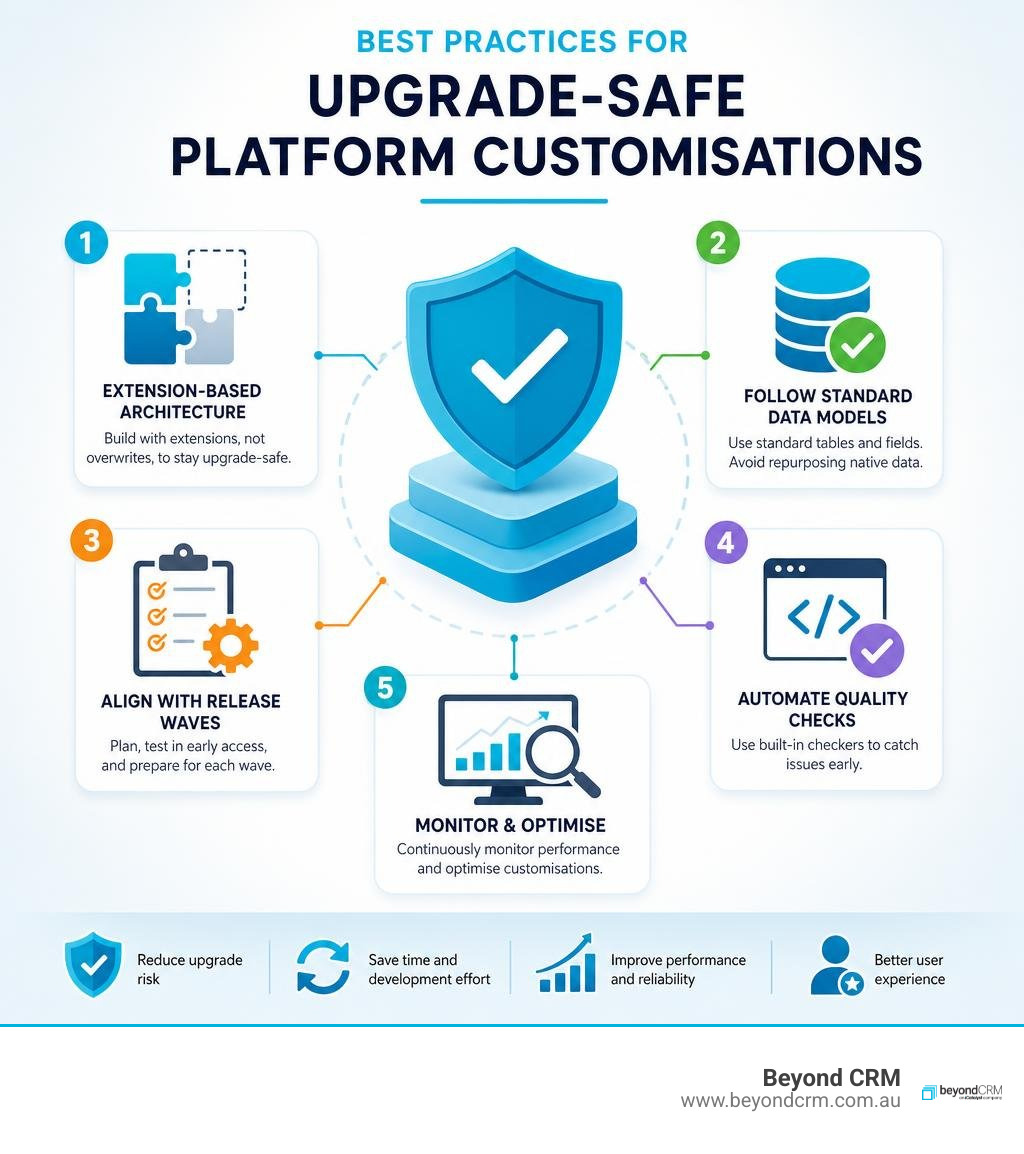
Solution governance should also include version control, documented dependencies, named owners, and routine health checks. Power Platform App Checker and Solution Checker can help identify some quality, performance, and compatibility concerns, but their findings still need to be assessed in the context of the organisation’s design and operating requirements.
Frequently Asked Questions About a Dynamics 365 Customisation Roadmap
These answers address common roadmap, implementation, integration, and support questions that arise before organisations commit to Dynamics 365 changes.
What is a Dynamics 365 customisation roadmap?
A Dynamics 365 customisation roadmap is a prioritised plan for adapting the platform to business needs. It documents desired outcomes, solution choices, dependencies, testing, ownership, and the order in which changes should be delivered.
What should be included in a Dynamics 365 roadmap?
Include business objectives, current-state process findings, fit-gap decisions, data and integration requirements, solution ownership, delivery phases, test plans, user adoption activities, release-wave reviews, and a prioritised enhancement backlog.
How do you decide between configuration and custom development?
Start with standard configuration. Use low-code capabilities when they provide a supportable solution. Reserve custom development for requirements that cannot be met through configuration or low-code tools, such as specialised real-time validation or complex integration logic.
How long does a Dynamics 365 customisation project take?
Timing depends on scope, data quality, integrations, required security design, user availability, and testing depth. A roadmap should define smaller releases where possible, so teams can validate priority outcomes before committing to later phases.
How do release waves affect Dynamics 365 customisations?
Release waves can introduce new platform capabilities and may affect custom extensions or connected systems. Teams should review relevant release information, test in a sandbox, and schedule remediation work when needed.
Can Dynamics 365 integrate with existing systems?
Dynamics 365 can often integrate with existing business systems through supported connectors, APIs, middleware, or custom services. The appropriate method depends on the systems involved, data ownership, security requirements, licensing, and required timing of updates.
Build a Sustainable Dynamics 365 Customisation Roadmap

A sustainable Dynamics 365 customisation roadmap gives organisations a way to make deliberate CRM decisions instead of responding to isolated requests. It connects business priorities to configuration, low-code options, integrations, controlled development, testing, and ongoing ownership.
The most reliable approach is to keep the roadmap practical. Define the intended process outcome, choose the lowest-maintenance solution that can meet it, test with real users and data, then review the result as the organisation and Microsoft platform evolve.
BeyondCRM works with organisations that need Dynamics 365 to operate within a broader technology environment. That means designing changes around existing systems, user responsibilities, and long-term support requirements.


